Introduction
One step at a time. Check things off as you do them, your progress saves on its own.
You run three accounts posting AI-made videos for Klareva, a skincare product. You never film anything and you are never on camera. AI avatars are.
Your affiliate link sits in the bio of every account. Someone buys through it, you get paid. That is the whole business.
There are two kinds of videos and nothing else. Short lifestyle videos that grow the accounts, and long product reviews that make the money.
| Account | Posts | Avatar | Per day |
|---|---|---|---|
| Lifestyle 1 | Lifestyle videos | Older woman | 3 videos |
| Lifestyle 2 | Lifestyle videos | Older woman | 3 videos |
| Review | Product reviews | Gay man | 1–2 videos |
Every account is an Instagram and a Facebook page posting the same videos.
Lifestyle videos · short · about 5 minutes each
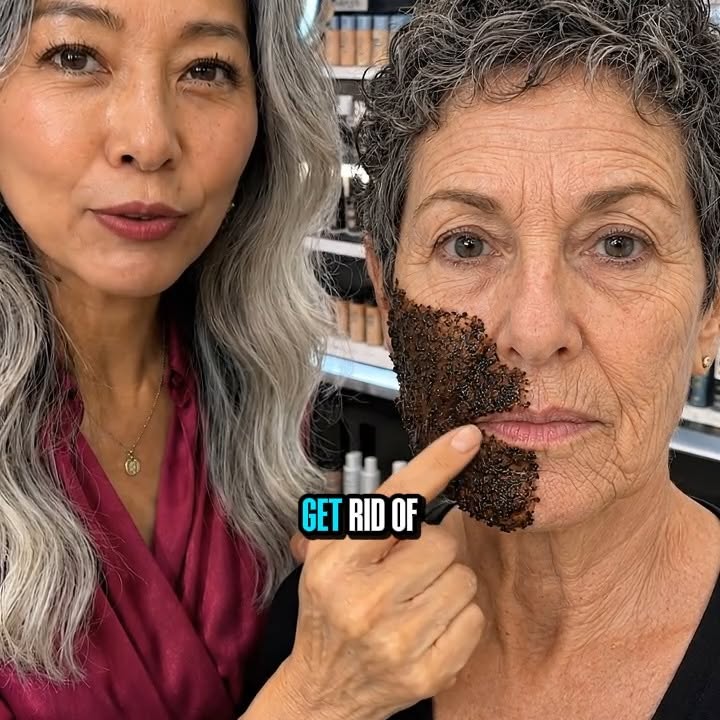
One clip. An older woman who looks far younger than her age, text over the top with her age, and the description lists what she does, with our product sitting quietly in the middle of that list. A comment keyword in the caption triggers the DM automation.
The avatar is the whole video. She plainly reads her age, but her skin looks shocking for it. That mismatch is what stops the scroll.
Product reviews · long · about an hour 20 each
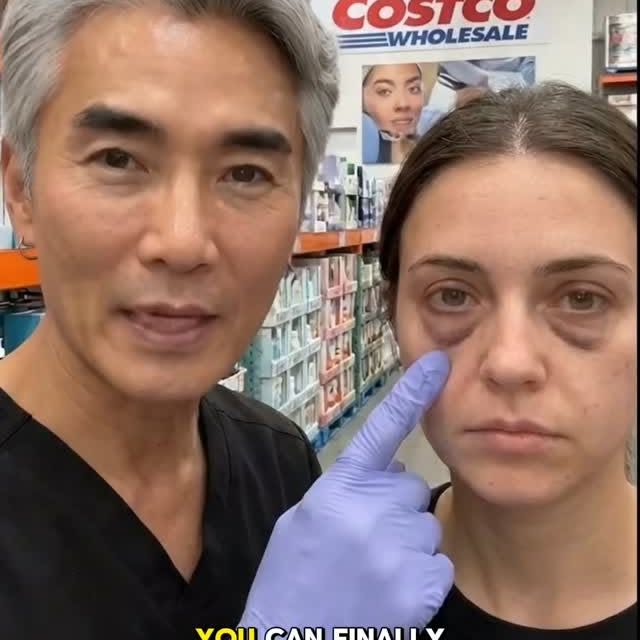
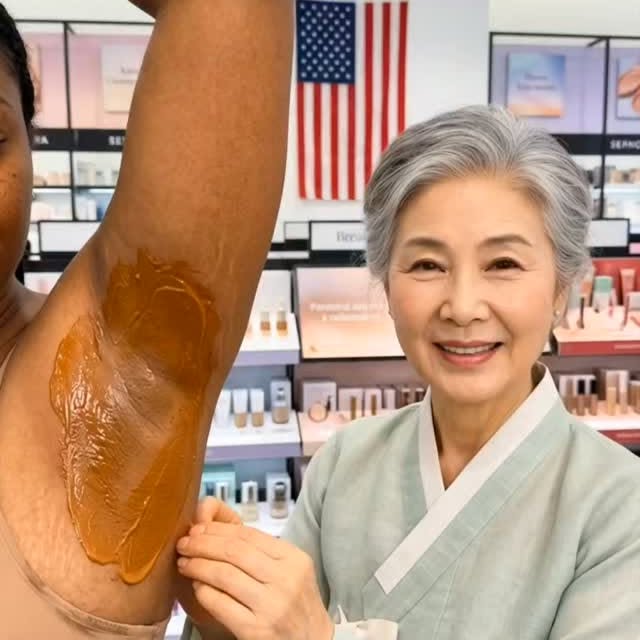
Opens on a problem, neck or hands or under eyes, then reviews products, usually in a store. The last product is ours and it is the one that makes everything else work. This is where the money comes from.
The lanes do not mix. The Viral Radar is for review videos only. Never copy those for your lifestyle accounts.
Do them in this order. Tap a step for what you actually need, and check it off when it is done.
Google Flow is where every image and video gets made. Nano Banana Pro makes the images, Veo turns them into video.
Through our supplier it is $19 a month. Do not buy it from the website, it costs far more.
Message him on Telegram and send exactly this:
Give him a backup Gmail, not one you care about. He invites it to a family plan and you are in for the month.
Claude writes your image prompts and converts your scripts. CapCut puts the clips together.
Do not pay full price for CapCut Pro. Buy it from G2G for around $2.
Signing into CapCut, do it in this order or it will not work:
- Sign into the CapCut account on your phone first
- On your computer, open CapCut and choose sign in with QR code
- Scan the QR code on your computer screen using your phone
That is what logs you in on desktop.
If you live outside the US, set your proxy up first. Before you make a single account. Watch the proxy course, get it running on your phone, then start making accounts. If you are in the US, skip it.
Three Instagram accounts and three Facebook pages, one of each per day. Never two in a day, it looks like a bot. Wait two full days after making an account before you post on it.
| Day | Make | Can post |
|---|---|---|
| Today | Instagram 1 + Facebook page 1 | In 2 days |
| Tomorrow | Instagram 2 + Facebook page 2 | In 3 days |
| Day 3 | Instagram 3 + Facebook page 3 | In 4 days |
Facebook has to be a page, not a profile. You make it under your existing personal profile.
- Open Facebook on desktop
- Click your profile picture, top right, then See all profiles
- Click Create new Page
- Name it, pick a category, hit Create
Nobody can see the page is connected to you, and you can run up to ten pages off one profile.
This is how you get paid, so do it as soon as your accounts exist. The link goes in the bio of every account you run.
When the Amazon listing launches your link switches to an Amazon one. Jayden will tell you when.
Two older women for your lifestyle accounts, one gay man for your review account.
Send all three to Jayden before you post anything with them. He will tell you which to lock in and what to change.
Open the Avatar Builder document, download it, and give the whole thing to your Claude. Paste it into a fresh chat. It interviews you about each avatar, then hands you a finished image prompt to generate from.
That same chat then becomes your prompt writer for every video after this, so keep it open.
Watch the courses all the way through first. Then start making videos straight away, before your accounts are even ready to post.
You are waiting two days on each account anyway. Use that time to build up a stack of finished videos, so the moment an account is clear you are scheduling a backlog instead of starting from zero.
The people who wait around during those two days lose a week getting going. The people who build ahead are posting properly from day one.
You are never writing a video from scratch. You are taking one that already worked and transplanting it.
You need the METHOD document to do any of this.
METHOD is a set of instructions written for Claude, not for you. It teaches Claude how we take a video that already went viral and rebuild it as ours. It keeps what made the original work, the structure, the pacing, the way the hook is worded, and swaps out the parts that need to change: the body part being talked about, the four products being reviewed, and the last product, which is always Klareva.
So you do not read it. You copy the whole thing, paste it into Claude once, and then keep using that same chat every day.
- Klareva is a hydrocolloid. On camera it is the small cube. Always the winner, always last.
- No em dashes in any spoken line. Commas only. Em dashes break Veo’s speech generation.
- Never invent a product name. Every product has to be real and spelled exactly as on the packaging, because it gets said out loud.
You are going to be overwhelmed on day one. Everyone is. That is not a sign this is not for you, it is just what day one feels like.
The people who make money are the ones who ask constantly. Jayden replies in a minute or two and you can hop on a call any time. The people who go quiet stall out.
Do not sit on a problem for three days. That is three days you do not get back.
Join the Discord. That is where everything happens, questions, wins, and the daily video ideas channel. Takes ten seconds.
Finished setting up and staring at a blank screen? That gap between making your accounts and starting your first video is exactly what this tutorial walks you through.
Now book your call with Jayden. This is the last step. You will go over everything you just set up, make sure you actually understood it, and leave knowing exactly what to do first, so you start on the right path instead of guessing.
Courses
Work through these in order. Everything you need to take a video from nothing to posted.
Viral Radar
Every video from the accounts in our lane, refreshed twice a day. Find the one that beat its own account, run it through METHOD, film it.
The outlier number is the whole game. It is how many times better a video did than that account’s normal video. A 400,000 view video on an account that always does 400,000 teaches you nothing. A video doing 12× its account’s normal has something in it that does not normally work, and that is the thing you rebuild.
The full library
Winning Content LibraryThousands of videos from the accounts in our lane, with thumbnails, view counts and a link to the original. Rebuilds twice a day. It asks for the passcode, same one you got when you joined, ask in your chat if you do not have it.Your own link is different from this one. If videos have been assigned to you personally, you were sent a link with a code on the end of it. Open that one instead and your assigned videos and scripts show up alongside the library. Keep it, it is yours and it does not change.
Scripts
Ready to film. Say what's in quotes. Text in brackets means do it on camera, don't say it. Newest sheet first, check the date before you film.
Creator Sheet · 5 videosThe Throw · Hawaii Bride · Under Eye Hack · Target Walkthrough · The Interview. Each with its source video linked. Gay Avatars · 8 videosPodcast · Dad and daughter · Escape the trap · Hands · Ingredients ranked · Neck · Sam's Club · Mom and gay son.Don't film these as-is forever. Once you're comfortable, use METHOD to convert new videos off the Viral Radar yourself. That's how you stop waiting on sheets.
Documents
The strategy docs first, they are what you are actually executing. The two Claude files live at the bottom, those get pasted into Claude, not read.
How you get paid
The Commission Pool · how you get paid25% of everything the brand makes, split by your share of direct orders through your Amazon tracking link. Paid the 15th of every month. The full math, and why it beats 100% commission.Content strategy
Content Strategy · the new strategy, explainedWhat we are doing now and why. Read this before you make anything. Lifestyle Videos · strategy and explanationThe lifestyle lane on its own. What those videos are, the numbers behind them, and how to make them.Assets
Product imagesEvery product image you need, in one Drive folder.Give these to your Claude
Open a fresh Claude chat, copy the whole document, paste it in, hit send. You do this once per chat, then keep using that same chat from then on. Do not read them and try to follow them yourself, that is not what they are for.
METHOD · turning other people’s videos into oursTeaches Claude how we rewrite a video that already went viral into a Klareva script. Paste it in, give it a transcript, tell it what to change. Avatar Builder and OnboardingBuilds your three avatars, then turns that same chat into your prompt writer for every image and video after. Lifestyle Videos Avatar BuilderBuilds the older woman avatars for your lifestyle accounts, then turns that same chat into your prompt writer for every lifestyle image and video.Use two separate chats. One with METHOD in it for scripts, one with the Avatar Builder in it for images. Do not paste both into the same chat.
Call Recordings
Group calls and case studies, watchable right here. Newest at the top.
Work With Jayden 1 On 1, Create For A Real Brand, And Get Paid On Every Sale.
Even if you have never posted a single video. The courses gave you every step for free. This is where they turn into money.
- 1 on 1 with Jayden, all day, every day
- Your onboarding call, where your plan gets built
- The suppliers: Flow for $19, CapCut Pro for $2
- METHOD, the avatar builders, and ready-to-film scripts
- The full Viral Radar and winning content library
- Your accounts tracked, your numbers coached
🔒 Secure checkout through Stripe · billed monthly · cancel anytime. Your Discord invite attaches your tier automatically when you join.
The tools themselves are separate, around $42 a month paid straight to the suppliers (Flow, CapCut, Claude). The membership gets you the plug prices, it does not pay for your tools.
These creators are 100% AI.
Every face below was generated with AI. No real person on camera, no filming yourself, no showing your face to anyone you know. You build the creator once, and it makes content for you from then on.

How it works.
Pick the faces, give them a voice, and place them where your niche lives. The avatar builders walk you through every setting, and Jayden reviews your avatars before you post a single video.
The Viral Radar hands you every video going viral in our lane, refreshed twice a day and ranked by how hard it beat its own account. No brainstorming, no guessing.
Paste the script into Claude with METHOD and it rebuilds the video as yours, same structure, same hook, new body part, new store, our product. Render it in Flow, cut it in CapCut.
Two lifestyle accounts and one review account, Instagram and Facebook each. Your posts and views land on your dashboard automatically, and Jayden coaches you off the numbers.
Your affiliate link sits in every bio. Sales through your content pay you directly, and the brand behind it is real, with real customers buying every day.
Klareva is a real skincare brand.
This is not a course that teaches you and leaves you to find someone who will pay you. Behind the mentorship is a real brand with real products people buy every day, and that is the brand your content earns from.
already paid out to creators.
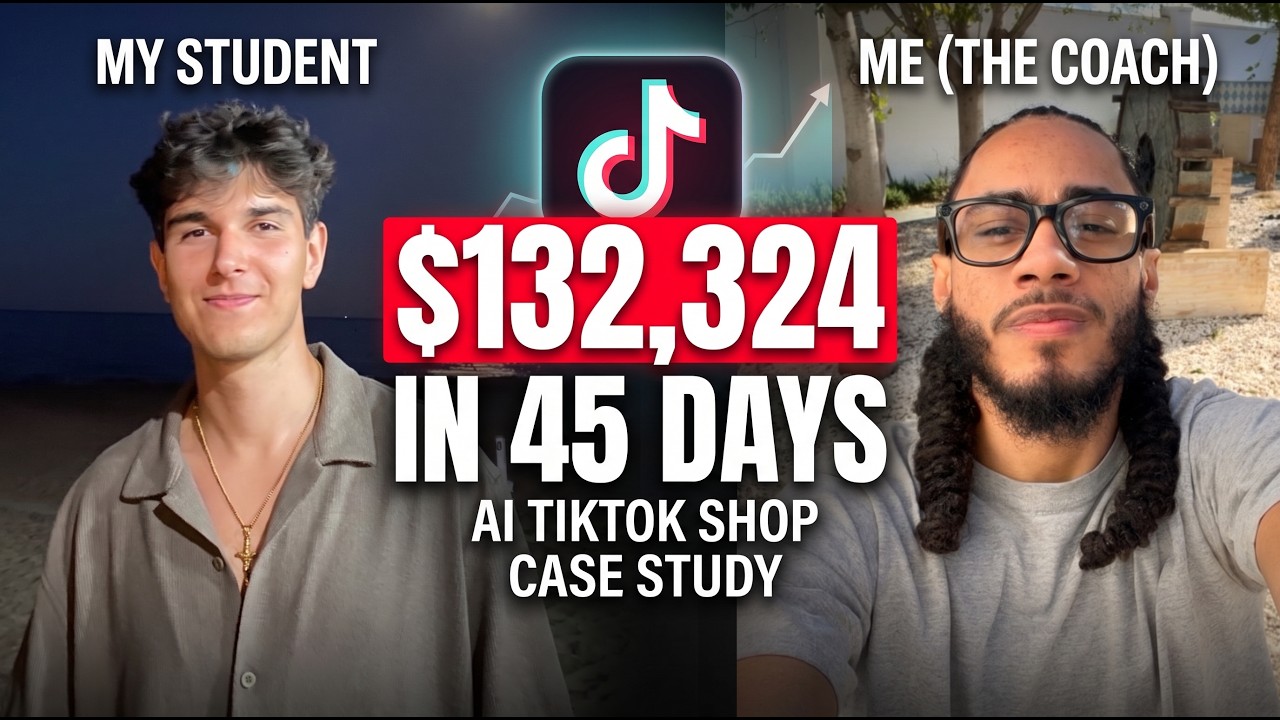
Watch the case study.
A student and Jayden, start to finish. What got posted, what it did, and what it paid.
Here’s everything you get.
Learn the system free. Run it with Jayden. Get paid.
Join the mentorship →Book a Call
Stuck on something, or want eyes on your videos? Grab a time. It goes straight on Jayden's calendar and you get the meeting link by email.
Updates
Every new feature and change to the hub lands here, newest first.
- New course: Transitioning into making videos. Just finished setting up your accounts and not sure what to actually do first? Course 03.1 walks you from setup to your first video. Also linked at the end of the Introduction.
- New course: Converting scripts to Klareva and iterating. Course 05.1, watch a script go through METHOD and get iterated, start to finish.
- Your videos, on your page. My Accounts now shows every video from your tracked accounts with views, likes and views per hour, plus your own stats: total views, best video, posts this week.
- Lifestyle lane is live. The Viral Radar now has a Lifestyle tab with 500+ videos from the accounts in that lane.
- New: Lifestyle Videos Avatar Builder in Documents, for building the older woman avatars.
- METHOD and the avatar builders moved to Google Docs. No more Notion access problems.
- Four new Discord commands. !stats for your weekly numbers, !script to get the spoken script of any IG or TikTok video, !call to book a 1 on 1, !remove to stop tracking an account. Type !how for the full list.
- !add in Discord. Type !add plus your account link in the server and it starts getting tracked. Type !how for instructions.
- Discord username at signup, so your Discord adds link to your dashboard automatically.
- Red alert on My Accounts when you have not added your accounts yet.
- Accounts launched. Sign up with email and password, get your own dashboard, add the accounts you run.
- Viral Radar rebuilt. Top risers by views per hour, plain-english outlier tags, platform and time filters, top 100 only.
- Book a Call. Jayden's calendar, right on the site.
- Call Recordings. The $132K case study breakdown and the group calls, watchable here.
- Intro video sits beside the day-one steps.
- The Creator Hub launched. Courses, scripts, documents and the step-by-step introduction with progress that saves itself, all under one roof at swipe.klareva.co. The Winning Content Library moved in with it.
My Accounts
Add every Instagram and Facebook account you are running. They start getting tracked straight away, there is nothing to wait on.
Your accounts
Add the handle exactly as it appears on the app. If it is wrong, nothing you post gets counted, and it will look like you did no work that week.
All Creators
Everyone who has signed up, the accounts they added, and what they actually posted.
Unclaimed accounts
Added with !add in Discord but not matched to a sign-up. Pick who owns each one.
| Platform | Handle | Discord name | Added | Assign to |
|---|
Sign-ups
| Name | Discord | Signed up | Accounts added | Membership |
|---|
Accounts by creator
| Creator | Platform | Handle | Posts | Views | Tracking |
|---|
Student Radar
Every post from every student account, only visible to you. Rebuilds twice a day with the scraper.